


 Fixed Income
  Equity
  Money Market
  Digital Issuance
  Digital Financial Asset
  Sharehareholders' or Investors' Meetings
  Dividend Payments
  Corporate and/or Debt Restructuring
  Other Corporate Actions
  Special Pledge
  Electronic Pledge Registry Service (REP)
  Notarial Pledges
  Mining Guarantees
  Judicial Attachments and Court-Ordered Measures
  Forward Contracts Requirements

 Responsible Tax Agent
  Tax Statements
  Captable
  Custody of Financial Instruments
  Regulatory Framework
  Corporate Policies
  List of Circulars
  Regulatory Compliance
  Crime Prevention
  IOSCO Principles
  Operational Risk
  Business Continuity
  Information Security
  Board Meeting Minutes
  Annual Reports
  Financial Statements and Notes
  Bylaws
  Fee Structure Study
  Service Fees
  Who We Are
 Sustainability at DCV


Reading time: 2 minutes
Dear participants and issuers connected to DCVe;
In accordance with the SRAD’s scheduled activation plan, we are moving forward with the activities outlined in the April 21 Bulletins. Upcoming activities for the week of May 4–10.
Thursday, May 7, or Friday, May 8 – Landing test
Every day from 7:00 p.m. to 10:00 p.m.
Objective: To verify whether the settings configured for each entity allow users to “view” the DCV landing page in SRAD. You will only be able to view it; you will not be able to perform any other actions. This feature is only available at the specified date and time.
WHAT SHOULD YOU DO?
- Go to: https://dcvevolucion.dcv.cl/
- Check your connection: If you’re able to connect successfully, you’ll see the landing page:
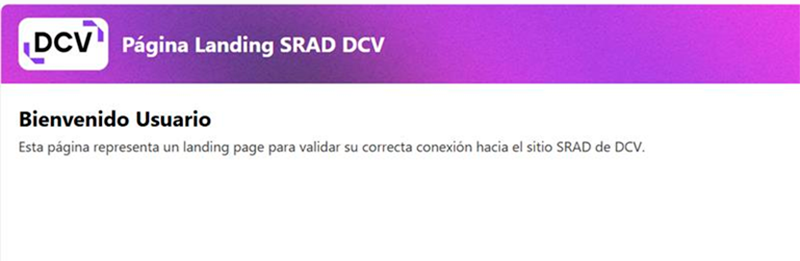
- Submit evidence: 3 per company (minimum requirement).
- 2 Security administrators.
- 1 operator user.
Please send a screenshot (as proof) of your successful or unsuccessful login attempt, including the date, time the screenshot was taken, and the role of the person who performed the test, to [email protected] with a copy to [email protected].
2. Saturday, May 9 – Dress rehearsal
Between 12:00 p.m. and 2:00 p.m.
Objective: To verify proper access and operation (limited; no transactions will be processed) in DCV Evolución. This is a “mandatory” test for all depositors.
WHAT SHOULD YOU DO?
- Log in to the DCV Evolución Platform. Using your usual login credentials, the services will be live on SRAD that day.
- User ID: your user identifier, typically your RUT (with a period and hyphen).
- Token: RSA code installed on your mobile device.
- Password: the same one you use to access DCVe.
- Participante: código de participante en DCV (codep).
- Browse the system and perform queries in the various modules (balance, transactions, accounts, etc.).
- Generate at least one report (e.g., position balance report, NDV, payment distribution, among others).
- Submit evidence: 3 for for3 por cada empresa (requisito mínimo).
- 2 Security Administrators.
- 1 Operator User.
Please send a screenshot (as proof) of your successful or unsuccessful login attempt, including the date, time the screenshot was taken, and the role of the person who performed the test, to [email protected] with a copy to [email protected].
We appreciate your commitment and invite everyone to actively participate in this project, which benefits the entire financial market.
